Enter the Oasis

A fast, modern Ultima Online shard with QoL systems, seasonal leagues, and an economy tuned for adventure.

1.1.0.201
Client Version Support
Low Ping
NA East (NY)
Seasonal
Resets & Ladders
No Pay2Win
Cosmetics Only

Why Oasis?

Simple rules. Deep systems. Built for solo, party, and guild play.

Adventure First

Curated PvM dungeons, world bosses, and dynamic events that reward exploration over grind.

Fair Economy

Gold sinks tuned for stability. Vendor search and player markets built-in.
Modern QoL

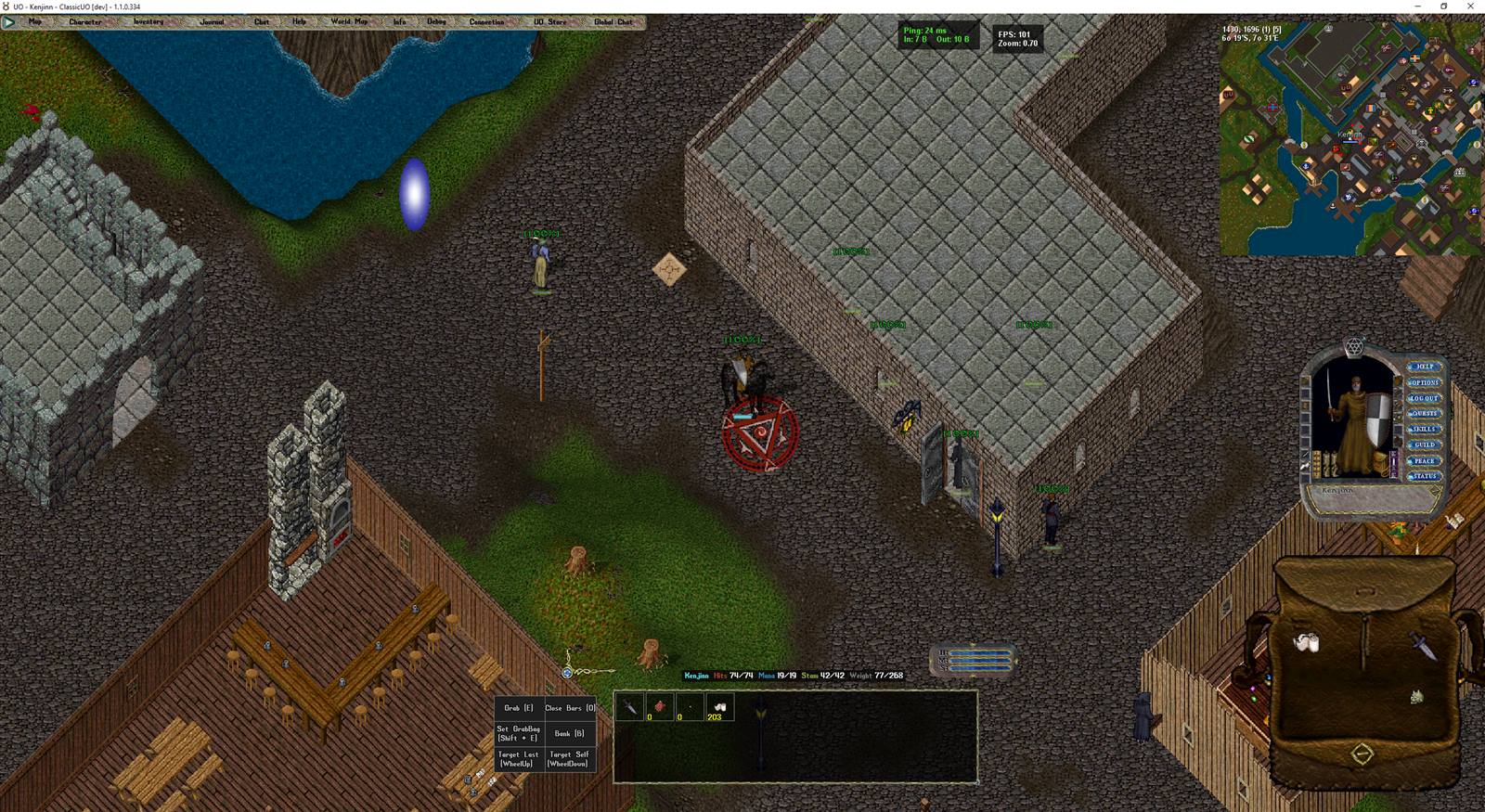
Grid loot, loot filters, auto-map, death recap, and smart containers—no client Mods required.

Seasons & Ladders

Fresh starts with themed rule tweaks and exclusive cosmetics to earn each cycle.

Guild Tools

Built-in war declarations, claim staking, raid markers, and shared loot management.

Reliable & Secure

Hardened infrastructure, automated backups, and active monitoring keep your characters and progress safe.

Latest News

View all
Cleaner trash barrel and faster pet following
Cleaner Trash Barrel, Faster Pet Following

The Clean Up Britannia barrel now accepts almost anything (except quest, insured, or blessed items), ammo/reagent stacks are bulk-priced to keep the economy sane, and pets now keep pace while following instead of lagging behind.

We've applied for the ClassicUO Web Client - pending approval
We've Applied for the ClassicUO Web Client

We've submitted our application to bring UO Oasis to the browser-based ClassicUO Web Client - no download required. It's pending approval on their end with no set timeline. We'll post here the moment it's ready.

Hotfix: hunt rewards are now claimable, plus repair bench reliability
Hotfix: Hunt Rewards Are Now Claimable, Plus Repair Bench Reliability

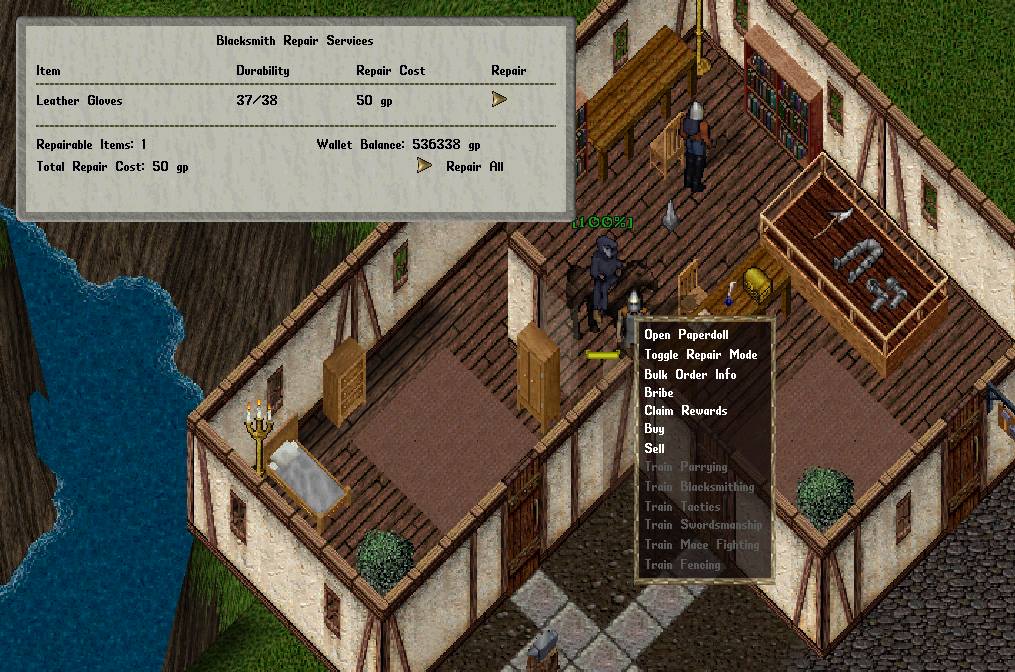
Finishing a hunt wasn't paying out its Quest Points - your [Hunts log now shows a Claim Reward button, and any hunt you already finished is still there waiting. Repair Bench's Repair All is also now fully all-or-nothing.

Hotfix: Grimoire bonus point exchange rate corrected
Hotfix: Grimoire Bonus Point Exchange Rate Corrected

The Grimoire's "Buy Down XP to Next Level" option was converting bonus points into far more XP than intended. The exchange rate is now corrected to a fair top-off, not a shortcut around the grind.

New: Kill-Quests, rotating dungeon bonuses, and a repair bench overhaul
New: Kill-Quests, Rotating Dungeon Bonuses & a Repair Bench Overhaul

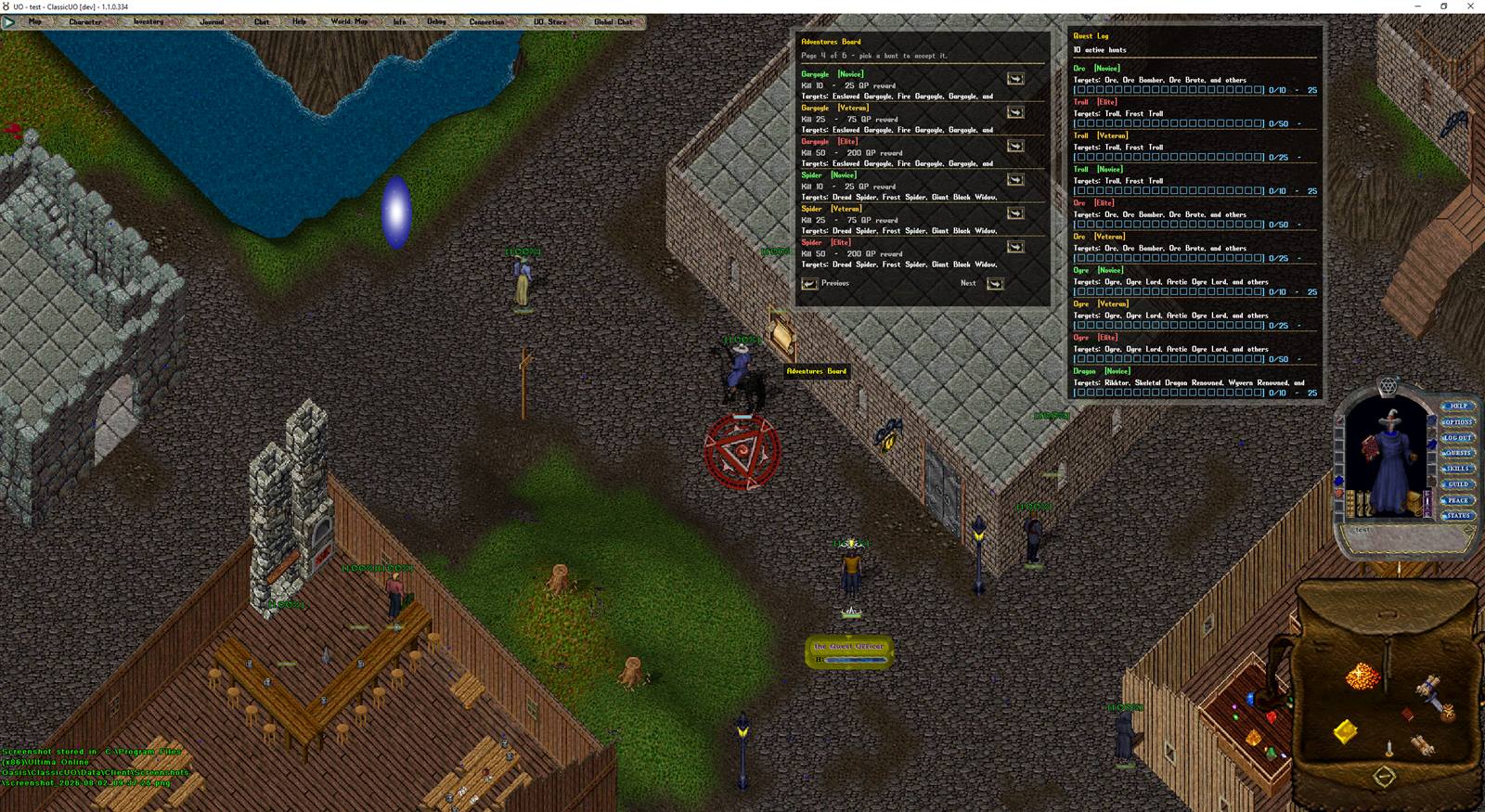
Hunt monster families for a new Quest Points currency, spend it on a 130+ item reward vendor, track two rotating bonus dungeons, and repair gear at a bench the same easy way NPC blacksmiths do it.

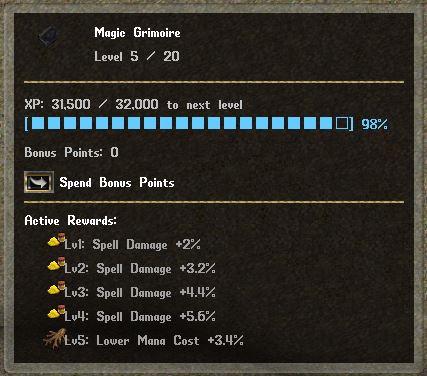
Grimoire UI cleanup and Mythic Character Token fix
Grimoire UI Cleanup & Mythic Character Token Fix

The Grimoire window now shows one clean summary line per bonus type instead of one per level, and the Mythic Character Token's skill-point cap now correctly matches what its own warning message has always said.

Launcher update: new animated background and smoother installs
Launcher Update: New Background & Smoother Installs

A new animated waterfall background, plus a fix for a startup crash some players hit on fresh Windows installs, and the launcher now properly registers with Windows' Uninstall support.

Behind the scenes: another round of server stability hardening
Behind the Scenes: More Server Stability Work

A second hardening pass, on top of July 29's - this one focused on connection handling, world/movement logic, and targeting. Nothing to notice day to day, just fewer things that can go wrong.

Patch complete: Young character travel fix and engine stability improvements
Patch Complete: Young Character Travel Fix + Stability Improvements

Young characters couldn't reach Felucca by any travel method - moongates, teleporters, recall, and more. That's fixed, alongside a round of engine-side stability hardening. Restart's done, everyone's back online, no character data affected.

Service note: brief deploy issue overnight, no data was lost
Service Note: Brief Deploy Issue Overnight — No Data Was Lost

A routine deploy briefly caused some characters to appear missing on staging and then the live shard overnight. We restored from a verified backup immediately and confirmed no character data was ever actually lost — full details on what happened and what we've changed.

Behind the scenes: account system security and reliability improvements
Behind the Scenes: Account System Security & Reliability

A security and reliability pass on the website account system - hardened two-factor authentication, tighter account-recovery protections, and crash-proofing for the connection to the game server.

New: Link your UO accounts, character dashboard, and self-service password reset
New: Link Your UO Accounts & Self-Service Password Reset

Link up to 3 UO accounts to your website login, browse a character/house dashboard with a live decay countdown, and reset a forgotten UO password yourself - no staff needed. House decay email reminders included.

Quality of life pass: bigger banks, unique names, safer houses
Quality-of-Life Pass: Bigger Banks, Unique Names, Safer Houses

Bank storage up to 375 items (3x), character names now enforced unique shard-wide, and new house doors default to Owner Only instead of Anyone.

New: Website accounts with two-factor authentication
New: Website Accounts with Two-Factor Authentication

Create a free website account with your email, secure it with optional two-factor authentication and backup recovery codes. Account linking and self-service UO password recovery have since shipped - see the card above.

New: Staff-run Town Invasions event system
New: Staff-Run Town Invasions

Staff can now throw a Felucca town into chaos on a schedule — themed monster waves followed by a champion boss, guards stood down for the duration, and shard-wide alerts so nobody misses the fight.

Server stability and data recovery improvements
Behind the Scenes: Server Stability & Recovery

We've been hardening the server against crashes and data loss — better error handling throughout, stronger safeguards around save data, and a new safety net so an accidentally deleted character isn't gone for good.

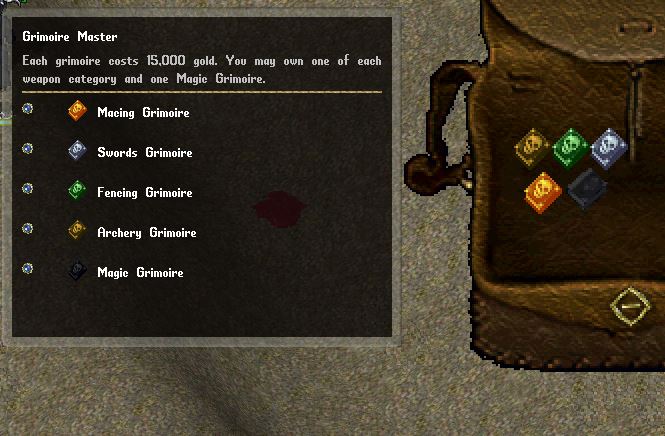
New: Weapon and Magic Grimoire leveling system
New: Weapon & Magic Grimoire Progression

Earn a blessed Grimoire from the Grimoire Master and level it up by fighting — Macing, Swords, Fencing, Archery, and Magery each have their own 20-level progression with real combat bonuses to choose as you go.

New world content: Paragons, Elite monsters, and rarity-tier tameables
New: Elite Monsters, Rarity Tameables & More

Four new roaming elite monster types, a Normal/Rare/Epic/Legendary rarity system for prestige tameables like Dragons and Nightmares, Paragons now spawning shard-wide, and Ethereal mounts no longer costing a pet slot.

Hunger system and free Recall/Mark
New: Hunger System & Magery-Free Recall/Mark

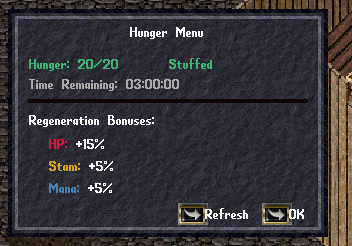
Type [hunger to check your Well Fed status and regen bonuses, with a live countdown until it wears off. Plus, Recall and Mark no longer require any Magery skill to cast — anyone can use them.

Felucca-First conversion
Felucca-First: One World, Open PvP

Felucca is now the shard's primary facet, with open PvP extended to Ilshenar, Malas, Tokuno, and the Eodon Valley. Trammel is now staff-only; anyone still saved there is automatically relocated to Felucca on login.
Economy tuning
Economy & Character Cap Tuning

Accounts per IP is now capped at 3 (down from 5), house decay for inactive accounts moved from 30 days to 6 months, and magic item / artifact drop rates were rebalanced to more traditional odds. Felucca's hidden +1000 luck bonus is now visible in your character stats.

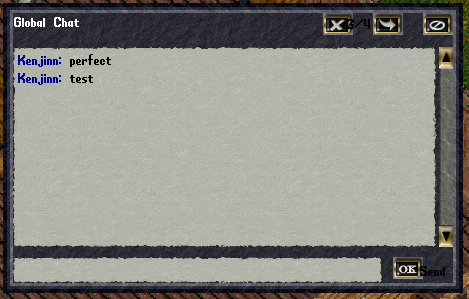
Global Chat window
New: Global Chat Window

Type [c or [chat to open a shard-wide chat window. It's fully movable and resizable, and keeps a running history so you never miss a message.

Free skills list
New: Free Skills List

Skills like Camping, Fishing, Lockpicking, Meditation, Focus, and 18 others no longer count against your 720 skill cap. Build the hybrid template you've always wanted — a tamer/bard who reads treasure maps, a fishing sampire, and more.

Launcher fixes
Launcher & Patch Reliability Fixes

Fixed an issue where the Razor assistant could fail to load UO data files on some installs, plus several under-the-hood reliability improvements to keep patching fast and consistent for everyone.

This week's updates
RazorEnhanced Support, Chat Polish & More

RazorEnhanced now runs alongside Razor without crashing, Global Chat got colored names + a [ChatToggle opt-out + readability fixes, double-click now equips gear straight from your backpack, and "Elves Only" items can be worn by any race.

Join the Community

Chat, trade, and form parties in our active Discord.

Join Discord

Ready to Play?

  1. Download and run the UO Oasis Launcher below.
  2. It installs and keeps ClassicUO up to date automatically, and connects straight to our server.
  3. Launch, create a character, and enter the dunes.

You'll need a legally obtained copy of the classic Ultima Online client files on hand the first time you launch — the launcher will ask where to find them.

Prefer not to install anything? The ClassicUO Web Client runs a full ClassicUO client right in your browser — no download, no install, works on Windows, Mac, Linux, even Chromebooks.

UO Oasis's shard application is submitted and awaiting approval from the ClassicUO team (their review process has no fixed timeline). Once approved, playing will look like: sign in at play.classicuo.org, pick UO Oasis from the shard list, and you're connected straight through to the same account, characters, and world you'd reach with the downloadable launcher — nothing about your character or progress is different.

Playing on Mac or Linux

The UO Oasis Launcher above is a Windows installer. Mac and Linux players can still join us with standalone ClassicUO, connected to our server manually — takes a few extra minutes, one-time setup.

  1. Download standalone ClassicUO for your OS from classicuo.eu (macOS and Linux builds are both provided alongside Windows).
  2. You'll need a legally obtained copy of the classic Ultima Online client files, same as Windows players — ClassicUO will ask where to find them the first time it runs.
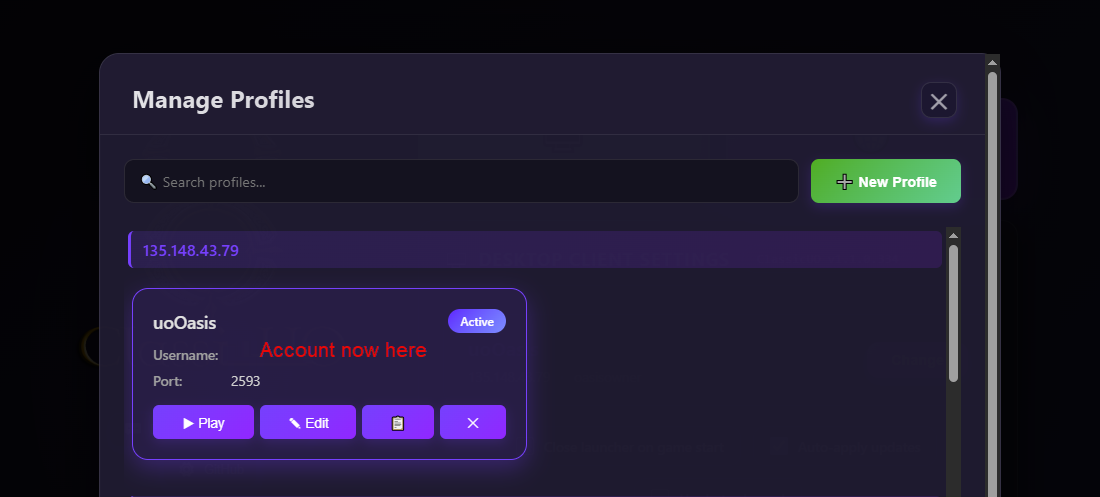
  3. Set up a server profile (see the screenshots on the right):
    1. Open Manage Profiles and click New Profile.
    2. Enter 135.148.43.79 as the server address and 2593 as the port, along with your account username.
    3. Save it, then make sure it's selected as the Active profile.
  4. Click Play Desktop, create a character, and enter the dunes.

Razor and RazorEnhanced are Windows-only tools and aren't required — ClassicUO by itself is enough to play.

Want Razor anyway? It's possible using Whisky, a free Wine-based Windows compatibility layer for Mac. This is a community workaround — unofficial, unsupported, and not something we've tested ourselves.

  1. Install Whisky and create a new bottle.
  2. Inside that bottle, install .NET Framework 4.7.2 — Whisky can install common Windows components like this directly.
  3. Run the Windows build of ClassicUO (not the macOS one) inside the bottle, then extract Razor from its GitHub releases into ClassicUO's Plugins folder, same as on Windows.
  4. Point ClassicUO at your client files and our server (135.148.43.79, port 2593) as usual, then launch through Whisky.
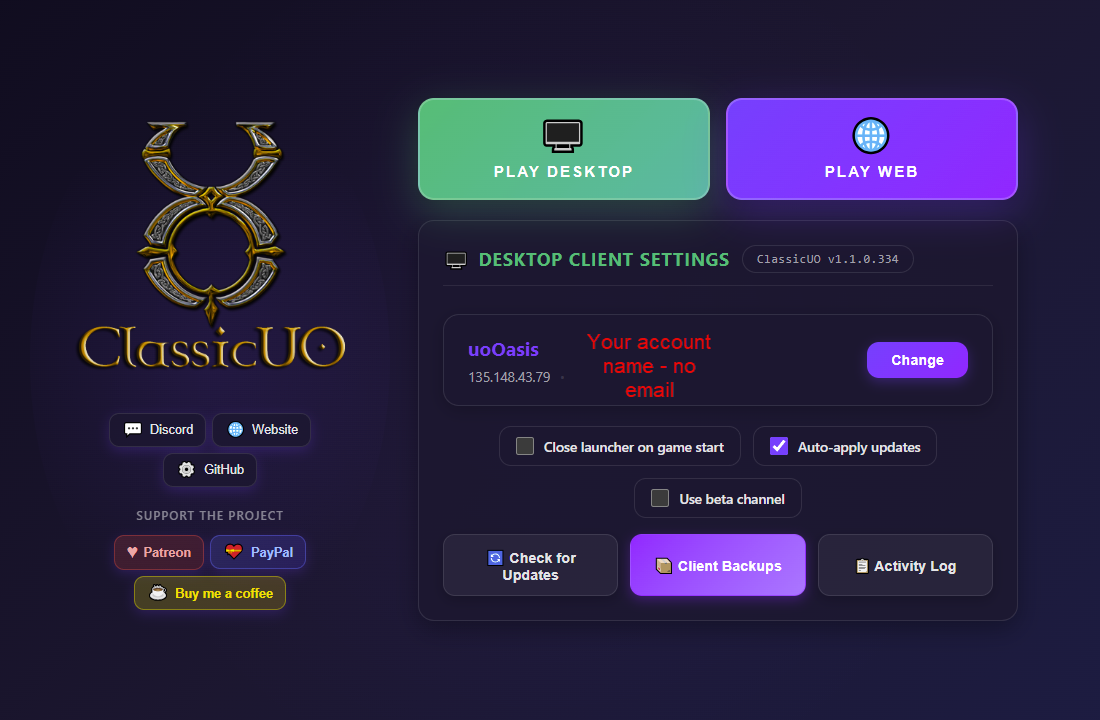
ClassicUO client settings showing UO Oasis selected as the active server ClassicUO's Manage Profiles screen showing a UO Oasis server profile with IP 135.148.43.79 and port 2593

What adding our server looks like in ClassicUO

Getting Started

Follow these steps to set up your client and start playing UO Oasis.

1. ClassicUO

Download the modern UO client for smooth gameplay and active updates.

Get ClassicUO
2. Razor

Install Razor for enhanced macros, targeting, and quality-of-life features.

Get Razor
3. Razor Enhanced

Add scripting and advanced tools with Razor Enhanced for full customization.
Get Razor Enhanced
Need help learning the game?
Visit UOGuide